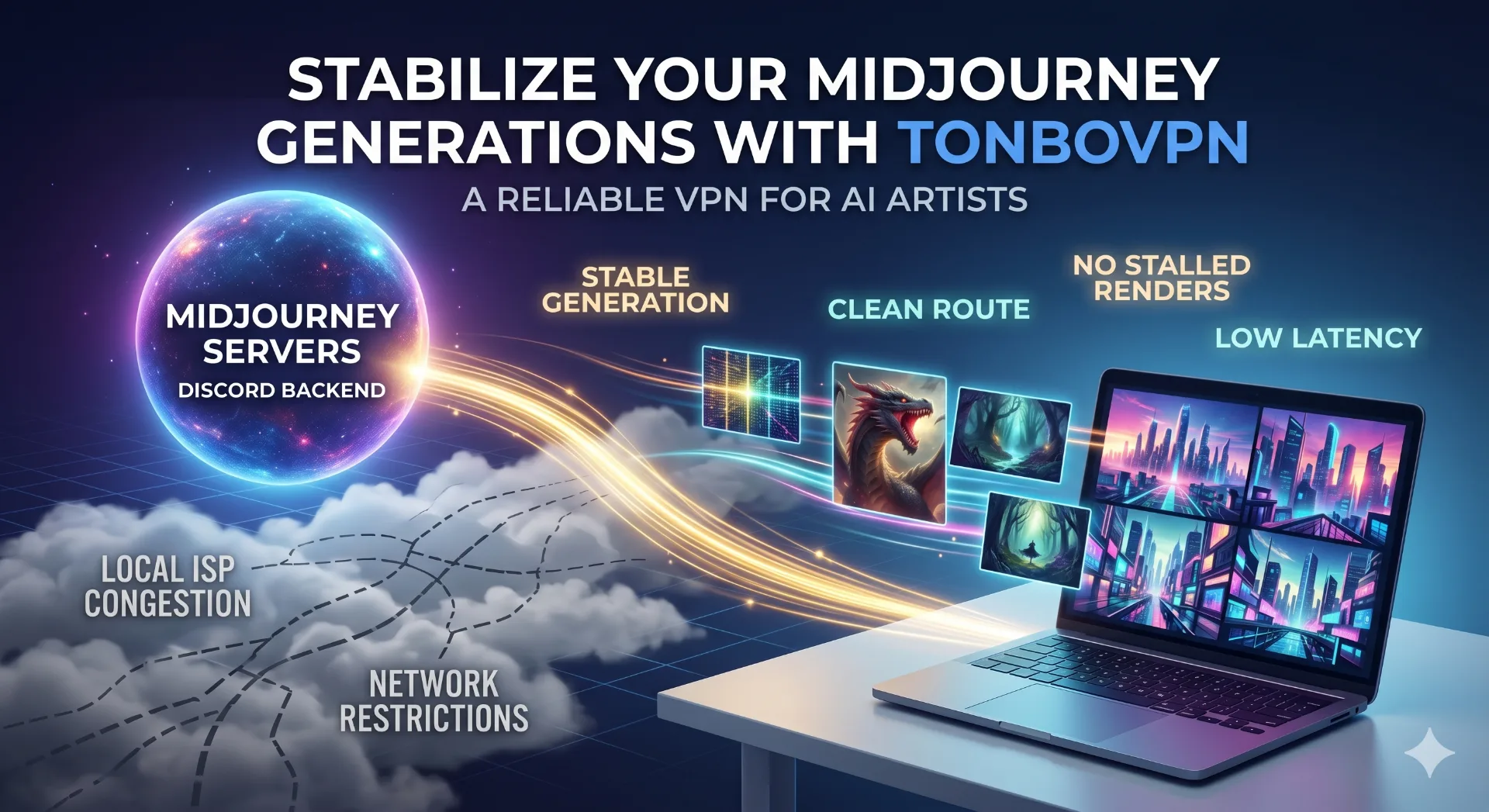
A Midjourney render that stalls at 40 percent, or a Discord window that refuses to load the second an idea lands, almost never means the GPU pool is down. The weak link is the path between your device and Midjourney's servers. Fix the route and the prompts reach the queue, the grids come back, and the whole thing stops feeling flaky.
Midjourney sits on top of Discord and a web app, and both need a clean line to the platform's backend. Send that traffic through a congested ISP, a campus firewall, or a region that throttles Discord, and the symptoms read like Midjourney itself is broken. It usually is not. The sections below walk through where access actually fails, why a VPN steadies it, and what separates a connection that works once from one that holds through a full upscale.
The failure is on your side of the wire
People blame Midjourney for a dead render. Most of the time the break sits between their machine and the platform, and it shows up in two recognisable shapes.
The first is regional. Because Midjourney rides on Discord, anywhere that blocks or throttles Discord takes Midjourney down with it. Some governments restrict Discord outright; others do something sneakier, letting text messages through while strangling the voice and gateway sockets the service needs to stay live. You get a bot that never answers, or a web canvas that loads blank and times out. Routing through a server in a region where Discord runs normally puts the gateway back and lets prompts move again.
The second shape is local, and it catches people who have no regional problem at all. Office, university, and cafe networks filter Discord and AI image tools to save bandwidth or enforce a content policy. You can sit in a country with zero restrictions and still hit a wall, because the router in the building is dropping the traffic. A VPN encrypts the request before it leaves your laptop, so that router sees a single outbound tunnel instead of a Discord call it knows how to kill. Freelancers and students who lose Midjourney only on certain Wi-Fi are almost always in this bucket.
Why a VPN stabilises generation, not just access
Reaching Midjourney and staying connected through a four-image upscale are two different problems. The first is reachability. The second is route quality, and that is where server choice and protocol decide whether your job finishes.
Distance is latency
Every render is a round trip. The prompt goes up, the job waits in the queue, the grid comes back. Drop a VPN hop through a distant country into that loop and you add milliseconds to every exchange. You feel it most in the interactive moments, variations, zoom-outs, the small requests that fire constantly. The cure is geography, not magic. Pick an exit near you or near Midjourney's core infrastructure and keep the ping low. Among people routing around restrictions, US East, Germany, and Singapore tend to be the steadiest exits, with Brazil a sensible pick across Latin America.
Protocol decides whether the session survives
Discord's gateway runs on persistent connections, and persistent connections hate packet loss. A lean modern protocol like WireGuard keeps that session alive with far less overhead than older options, so the bot does not quietly disconnect mid-job. When a render dies right at the finish, packet loss on a saturated tunnel is usually why. A tunnel built on low-overhead encryption carries the session all the way through a Fast or Turbo render instead of dropping you at the last frame.
IP reputation
Midjourney's abuse detection has tightened. It now flags whole IP ranges rather than single addresses, which is exactly why a shared free-proxy exit gets you blocked almost immediately. Roughly a quarter of users who run into IP trouble switch to a VPN for a cleaner exit. What matters is the pool behind that exit. A maintained range of dedicated addresses keeps your account clear of the crossfire; the recycled IPs on public proxies are often already on a watchlist before you connect.
How the options actually compare
The difference between a real VPN, a free app, and a scraped proxy only shows up once you push genuine workload through it. One test prompt hides everything. A batch of upscales does not.
| Factor | TonBoVPN | Free VPN app | Public proxy |
|---|---|---|---|
| Stability through long renders | Steady, low packet loss | Frequent drops on busy servers | No session guarantee |
| Latency to AI platform servers | Low ping, nearby exits | High, overcrowded nodes | Unpredictable, often very high |
| IP reputation for AI tools | Maintained, clean ranges | Shared and frequently flagged | Often pre-banned |
| Bandwidth headroom | No render caps | Tight daily caps | Uncapped but unusable speeds |
| Privacy of prompts and account | Encrypted, no activity logs | May log and resell data | No encryption |
Free apps throttle bandwidth and crowd everyone onto a few servers, so the moment you start batching the speed falls apart. Public proxies skip encryption and run on addresses AI platforms already distrust. Past a single test prompt, a dedicated tunnel is the only thing that holds under sustained generation.
Questions people actually ask
Will a VPN slow my renders down?
A badly chosen server will, because distance is latency. A nearby low-ping exit adds an overhead you will rarely notice during normal Fast Mode work. If things feel sluggish, switch to a closer server before you blame the queue.
Which location should I pick?
Start somewhere Discord runs without restrictions and sits geographically close to you. US East, Germany, and Singapore are dependable opening choices. If one feels slow, or your account hits a wall, rotate to another nearby exit rather than sitting on a bad one.
My Midjourney IP got flagged. Can a VPN undo that?
It can, provided the VPN hands you a clean exit instead of a recycled address that is already burned. Free and public options usually make the flag worse. A maintained pool gives you a fresh, well-behaved IP so your account stops getting lumped in with abusive traffic.
Does the web app need a VPN too?
Yes. The web app talks to the same backend and login layer as the Discord bot, so a network or region that restricts one almost always restricts both. One stable connection covers them together.
Is a free VPN safe for this?
Not really. Free services log activity, resell data, and pack users onto flagged IP ranges, which is the last thing you want when your account and your prompts are riding on it. A paid, no-logs service keeps the generation private and the exit clean.
Stable Midjourney access really does come down to one thing: a clean, low-latency route that holds from the first prompt to the final upscale. Get the restrictions, the latency, and the IP reputation handled and the failed jobs mostly stop, which means you spend the evening refining prompts instead of restarting renders.
If you make AI art every day and you are done with stalled grids and dead gateways, it is worth running a connection built for this kind of traffic. TonBoVPN covers the Discord bot and the web app on one tunnel, with nearby low-ping exits and clean IP ranges; pick a close server and let the next batch finish.